| First Published 26 Nov 2026 |
|---|

The Original Problem
Back in Oct 2024, I reported an issue with black control borders to the Access team. For full details and screenshots, see my earlier article from 2024: Black Border Bug
To summarise, it is impossible to set a pure black border to 1 pt or 2 pt in Access. You can easily check this for yourself:
1. Create a rectangle on a form or report. Set the border color to Black (#000000) and width = Hairline.
2. Increase the border width to 1 pt then 2 pt. No change occurs – the border is still hairline.
3. Increase the border width again to 3 pt or more. The width now responds correctly.
4. Now repeat with any other color border e.g. #000001; border widths of 1 pt and 2 pt do now display correctly.
5. Repeat with other controls with a border e.g. textbox. Exactly the same results – black borders (only) go from hairline to 3 pt with nothing between.
The screenshots below show the original issue, firstly with a pure black border. 2 pt appears identical to hairline. 3 pt scales up correctly.
| View | 2 pt Pure Black border | 3 pt Pure Black border |
|---|---|---|
| Design View | 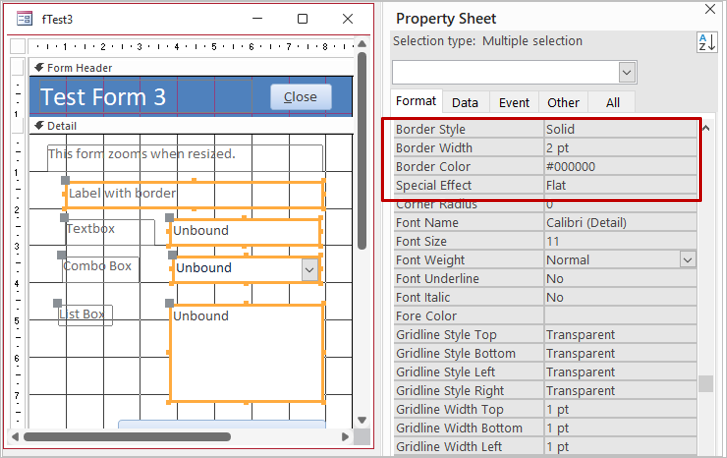 |
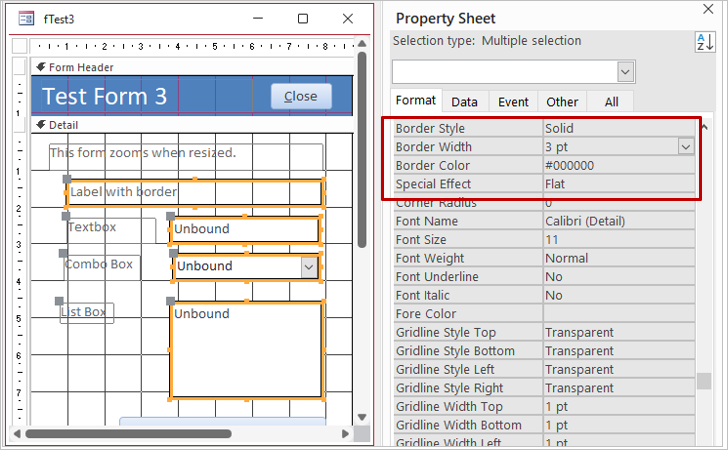 |
| Form View | 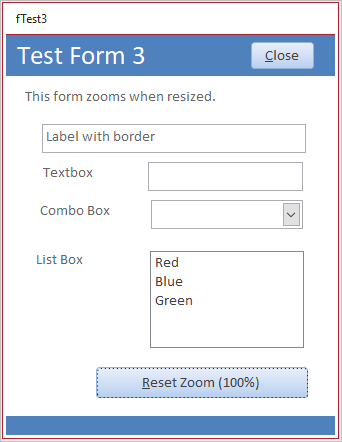 |
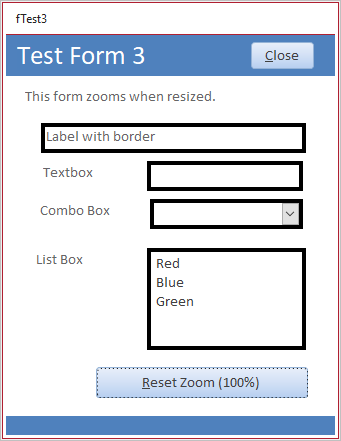 |
Again with exactly the same form, this time with a 'text black' border. This time the border width scales up correctly:
| View | 2 pt Text Black border | 3 pt Text Black border |
|---|---|---|
| Design View | 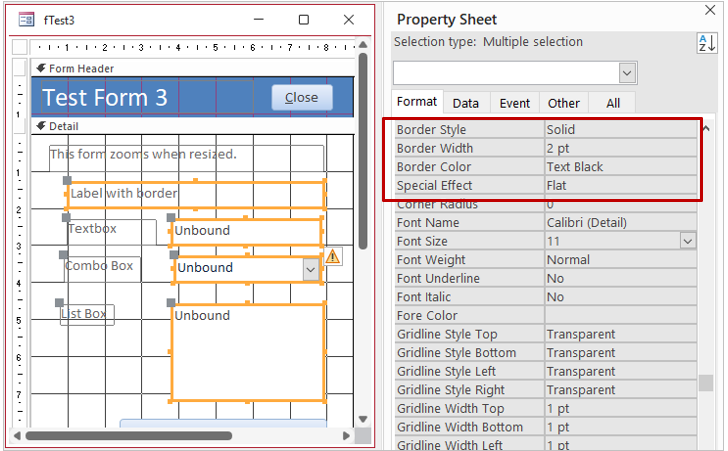 |
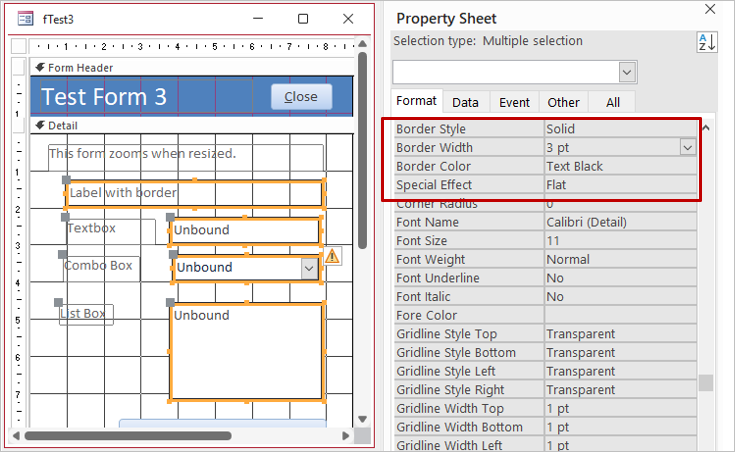 |
| Form View | 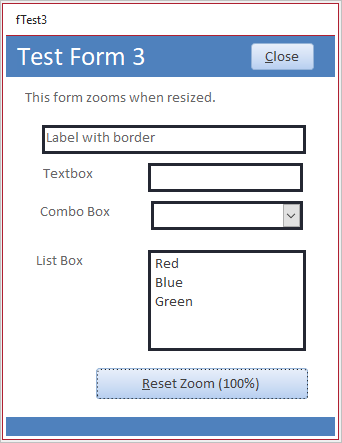 |
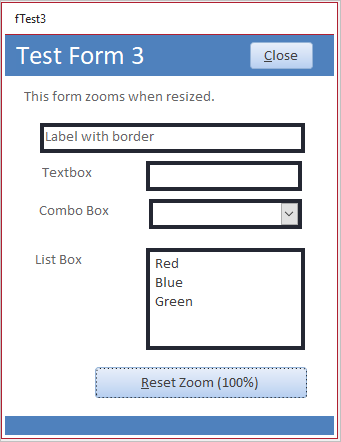 |
Further testing indicates that:
a) the issue has existed in all versions since Access 2003. Versions prior to that do display 1 pt and 2 pt black borders correctly.
b) Unticking Use Windows-themed Controls on Forms in Access Options 'fixes' the issue. Many thanks to former MVP, Anders Ebro, for noticing that.
At the time I reported this, the Access team acknowledged the issue which may be related to the use of control themes or to the special effect control property.
It was clearly only a very minor issue, and the Access team chose not to fix it at the time. In many ways, that made sense, as 'fixing the issue' might have caused more problems with existing forms than it solved.
The easiest workaround is still to set the border color so it isn't pure black. Even Text Black will work correctly.
Why is this being mentioned again now?
Until now, I haven’t in any way been bothered by the fact that it was never fixed.
However, the issue has now come back to bite me with the arrival of the new corner radius property.
I am currently undertaking the mammoth task converting an old and very large client database originally written in Access 2.0 MDB back in 1993.
I am now converting this ancient database to ACCDB for use with 365 as part of a process for the client to comply with CyberEssentials Plus.
The client has been running this on a virtual machine with minimal changes for over 30 years and firmly declined my strong advice to start again from scratch!
Typically, the forms were designed at the time for 600*480 resolution with MS Sens Serif font at no more than 6 pt and look very dated.
As a very small part of this conversion, I thought I’d add rounded corners to various forms as I update their appearance.
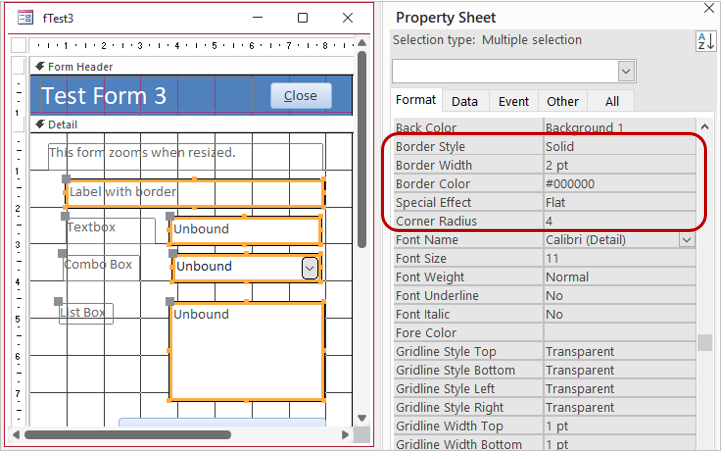
Many forms have controls with 2 pt black borders and the default flat special effect.
As soon as I change the corner radius to any value bigger than 0, the thick black border width shows up ‘correctly’.
The screenshots below show the new issue:
| View | 2 pt black border; Corner Radius = 0 | 2 pt black border; Corner Radius = 4 |
|---|---|---|
| Design View | 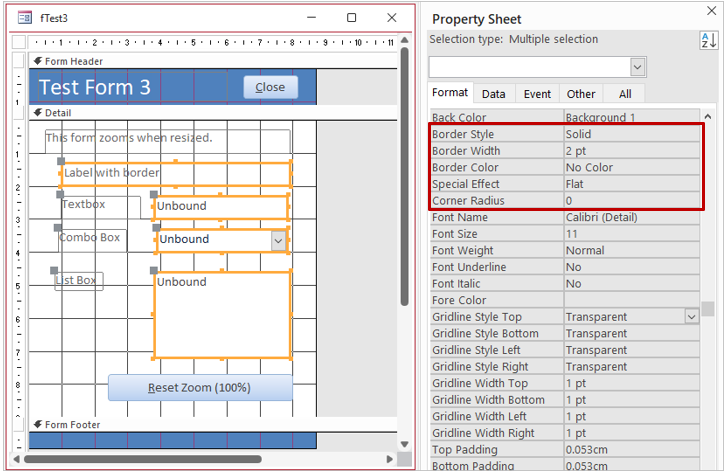 |
 |
| Form View | 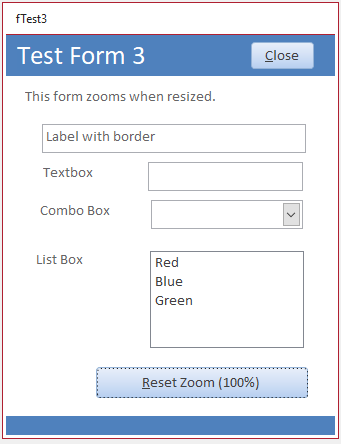 |
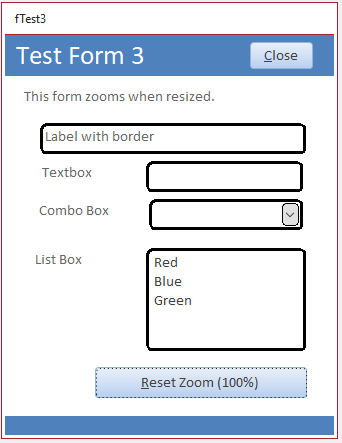 |
Now, this is obviously not a corner radius bug. However, for anyone unaware of the original issue, it gives a misleading impression that it is to do with having rounded corners.
Today, I raised this again with the Access team. However, I’m still unsure whether fixing the theme bug at this stage would be better or worse than leaving it as is.
I would be interested to hear the views of other Access developers. Please contact me by email with the subject line: "Black Border Bug 'Fixed' By Corner Radius Property".
Feedback
Please use the Email button in the contact form below to let me know whether you found this article useful or if you have any questions.
Please also consider making a donation towards the costs of maintaining this website. Thank you
| Colin Riddington | Mendip Data Systems | Last Updated 26 Nov 2026 |
|---|
|
Return to Access Blog Page
|
Return to Top
|