
First Published 27 Aug 2025 Last Updated 31 Mar 2026
My recent article for Access Forever includes an outline summary of Access / Office bugs reported during July / Aug 2025.
This article provides additional details about these bugs (in order of date reported) including symptoms and action taken.
IMPORTANT:
Insider channels (particularly Beta Channel) are used by Microsoft to test new features before these go to production channels. It is to be expected that the insider channels may contain bugs. These channels should only be used for testing purposes and NEVER for production use.
UPDATE 26 Sept 2025: The Access team have just published their own blog article: Access fixes released in versions 2507 and 2508
| Item | Bug information | Date Reported | Reported By | Action taken |
|---|---|---|---|---|
| a) | Tab Control Caption Alignment issue when using shortcut keys Page captions in a tab control are not centred when an ampersand was used as a shortcut key if Use Themes is disabled 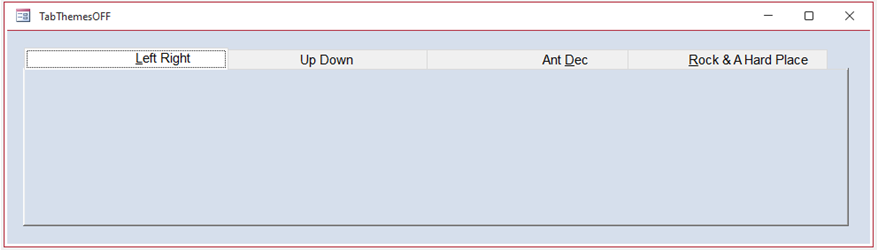 When Use Themes is enabled, all captions are correctly centred 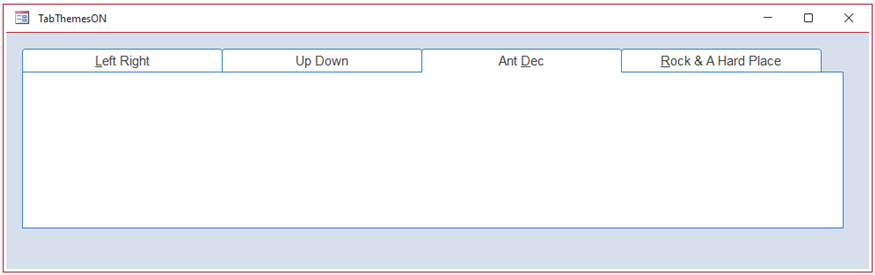 For details, see related article a) below |
2025-07-09 | Colin Riddington | None Workaround - use the newer tab control with themes enabled |
| b) | Display problem with Option Group when vertical anchor set to Bottom Two or more options appear visually selected at the same time. 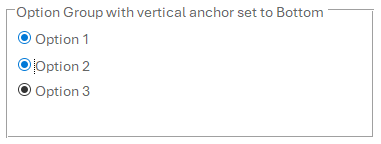
|
2025-07-15 | Philipp Stiefel / Peter Doering | Fixed in Beta Channel version 2604 Build 19923.20000 (released 2026-03-26) |
| c) | Aptos display issues with descenders and cursor alignment Using Aptos (Detail) 11pt font, text characters with descenders (g, j, p, q, y) are truncated. This also causes the cursor position to be misplaced horizontally making editng more difficult. Neither issue affects other font sizes or other fonts. Aptos (Header) is not affected. 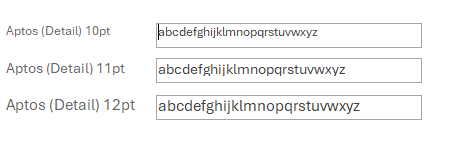 For details, see related article c) below
 |
2025-04-04 and 2025-08-01 |
Karl Donaubauer | Fixed in Beta Channel version 2604 Build 19923.20000 (released 2026-03-26) |
| d) | Issue with identical fore/back colours when renaming a group/category in Navigation Options 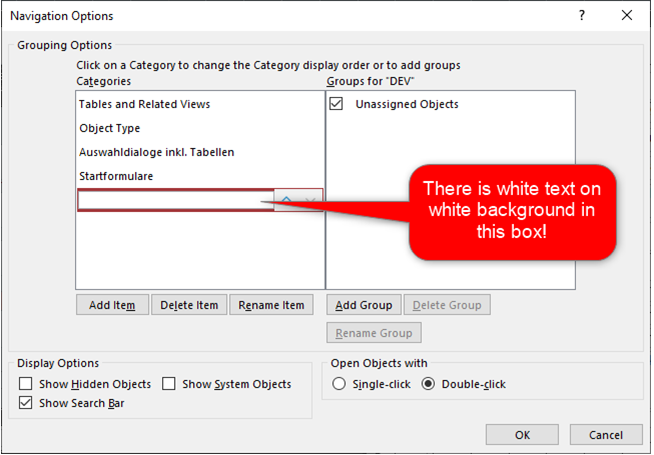
|
2025-08-01 | Philipp Stiefel | Will be fixed as an accessibility issue |
| e) | Wizard ActiveXs broken in 32-bit Access Issues starting with version 2507 build 19029.20136 (2025-07-30) 32-bit ONLY. 64-bit Access was NOT affected Various errors affected the Database Documenter, Linked Table Manager and Importing / Linking Excel & text files. For example: 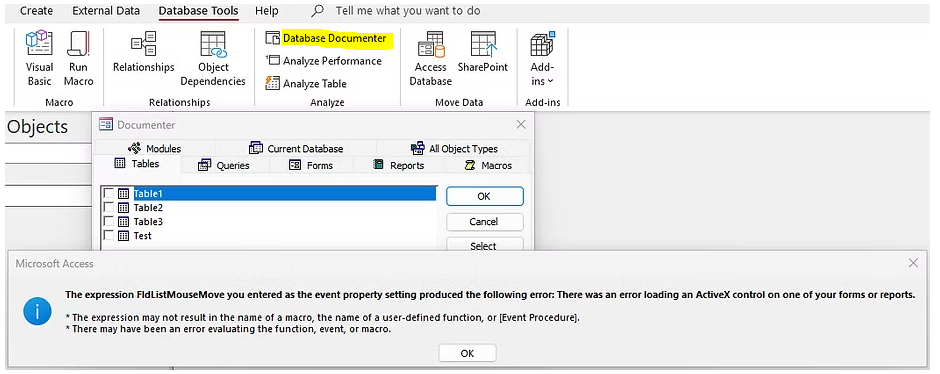 For details, see related article e) below |
2025-08-08 | Karl Donaubauer | Fixed on 2025-08-19 with version 2507 build 19029.20208 |
| f) | Union subqueries do not show field names when switching from Monaco to Design view 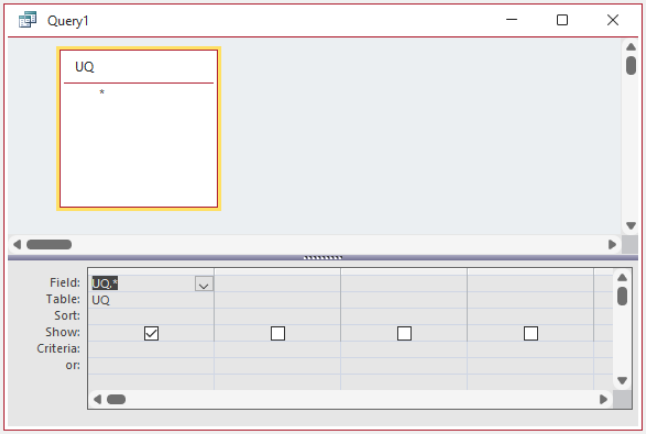 When attempting to save the query from design view, an error message "the field is too small to accept . . . " is shown.  For details, see related article f) below |
2025-08-16 | Dale Fye / Colin Riddington | Fixed on 2025-08-26 with version 2508 build 19127.20154 |
| g) | Beta Channel Update Failed Update to version 2509 build 19207.20002 failed with incorrect reports of no Internet connection 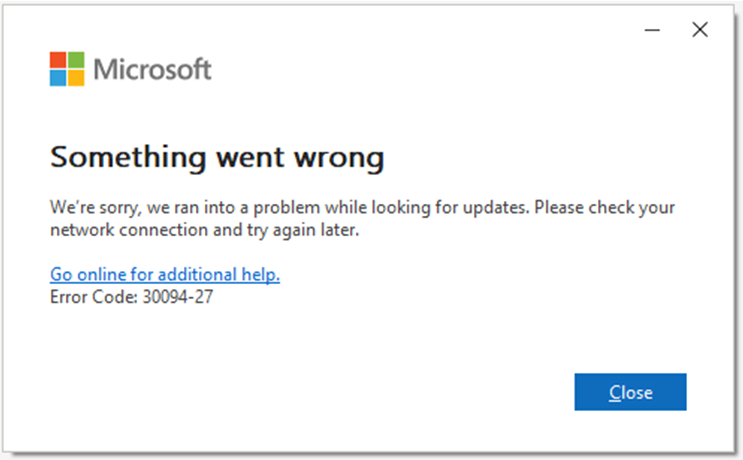
Attempting to fix by running a full Office repair resulted in another error 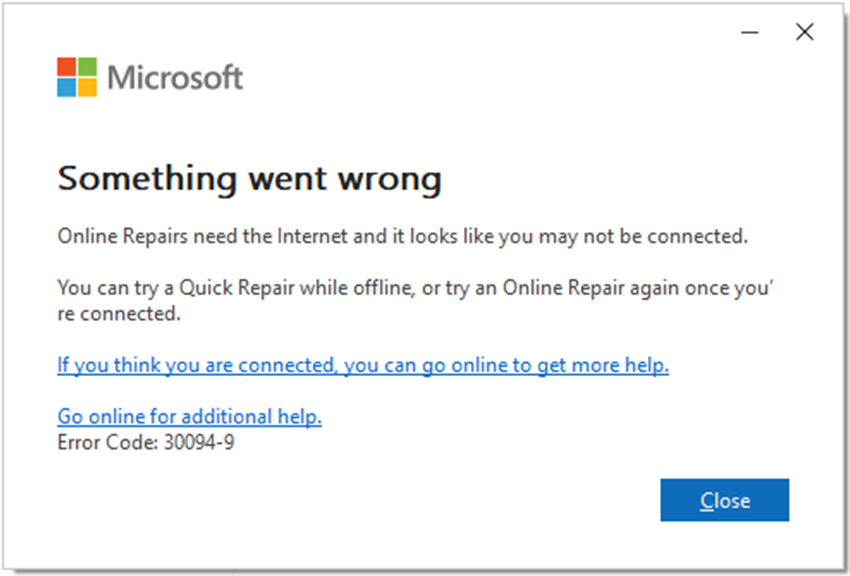
Temporary workaround: do a complete reinstall of Office |
2025-08-13 | Colin Riddington | Issue confirmed and rapidly fixed by the Office team on 2025-08-14 |
| h) | Export Objects to HTML Wizard with Formatting Issues Since version 2506, when using the Export data to HTML with formatting and layout option, all data is encoded and results in some scrambled data output - see first column below. 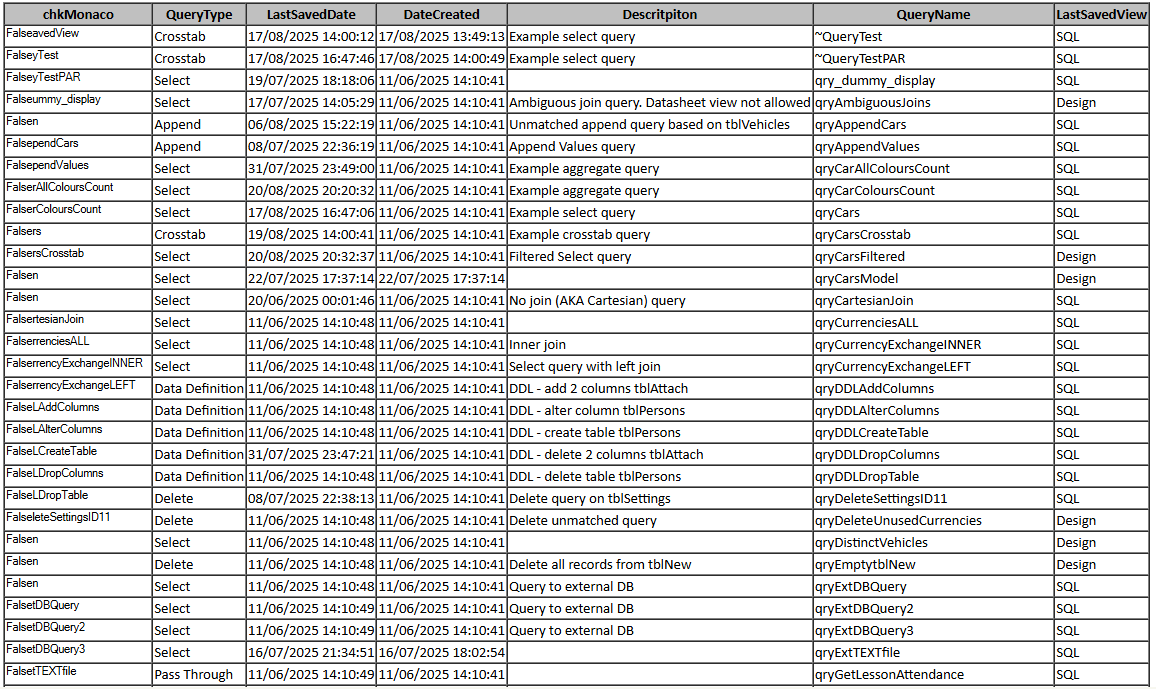
For details, see related article h) below |
2025-08-19 | Colin Riddington | Fixed in Beta Channel version 2509 build 19230.20002 released on 2025-09-02. Exported data is no longer encoded. Other channels will also receive the fix soon. |
i) | Assertion Failed error message on calls to VBScript.RegExp In Versions 2508/2509, running the .Replace() method of the VBScript.RegExp object triggers this error message when passed by reference 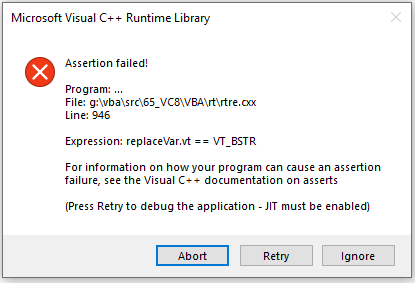
Clicking Abort crashes Access. Clicking Retry causes another message 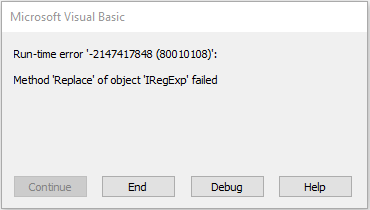
For details, see related article i) below |
2025-08-30 | Mike Wolfe | Workaround: Enclose the Replace string in brackets to force it to be passed by value Fixed in Current Channel Version 2508 Build 19127.20192 released on 2025-09-03 |
Related Articles:
a) See this thread at Access World Forums: Ampersand in Page.Caption Right-Justifies Its Text
c) See my article: What's Up With Aptos?
e) See Karl Donaubauer's article for Access Forever: Wizard ActiveXs are Broken in 32 Bit (Fixed)
f) See Known Issue l) in my article: Monaco SQL Editor
h) See my article: Export Objects to HTML Encoding Issues
i) See Mike Wolfe's article for NoLongerSet: Assertion Failed on RegExp Calls in Access 2508
Feedback
Please use the contact form below to let me know whether you found this article interesting/useful or if you have any questions/comments.
Please also consider making a donation towards the costs of maintaining this website. Thank you
Colin Riddington Mendip Data Systems Last Updated 31 Mar 2026
Return to Bugs & Fixes Page
Return to Top