
First Published 21 June 2025 Last Updated 1 July 2025
The Problem
In recent days, there have been a number of reports of captions and images no longer being shown on some command buttons after the user updated to Current Channel (Preview) version 2506 build 18925.20022. The first report was by user JTrilloJ on 7 June: Title and images missing in Buttons | Access World Forums
The user very helpfully supplied both an example database and a screenshot. On examining the database, I was able to replicate the issue:
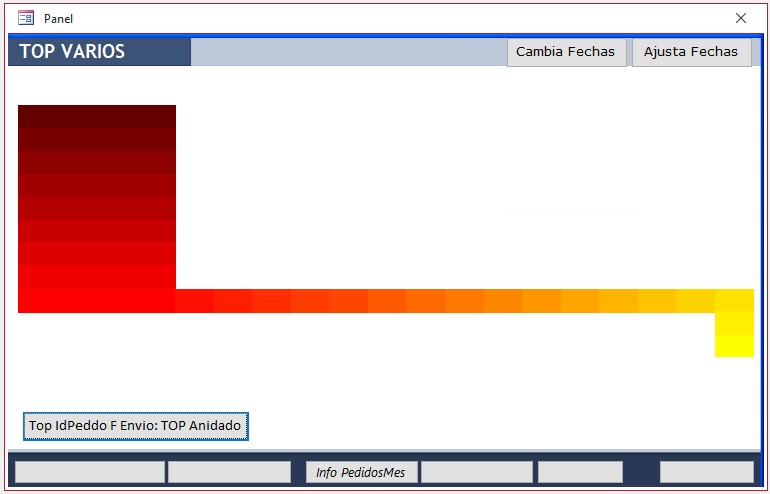
In design view, the reason for the missing captions on all 5 'blank' buttons was obvious from the property sheet:

The buttons all (supposedly) had an image but the button captions were not displayed as the Picture Capture Arrangement property was set to No Picture Caption.
For the remaining button, the caption was displayed as it had no embedded image.
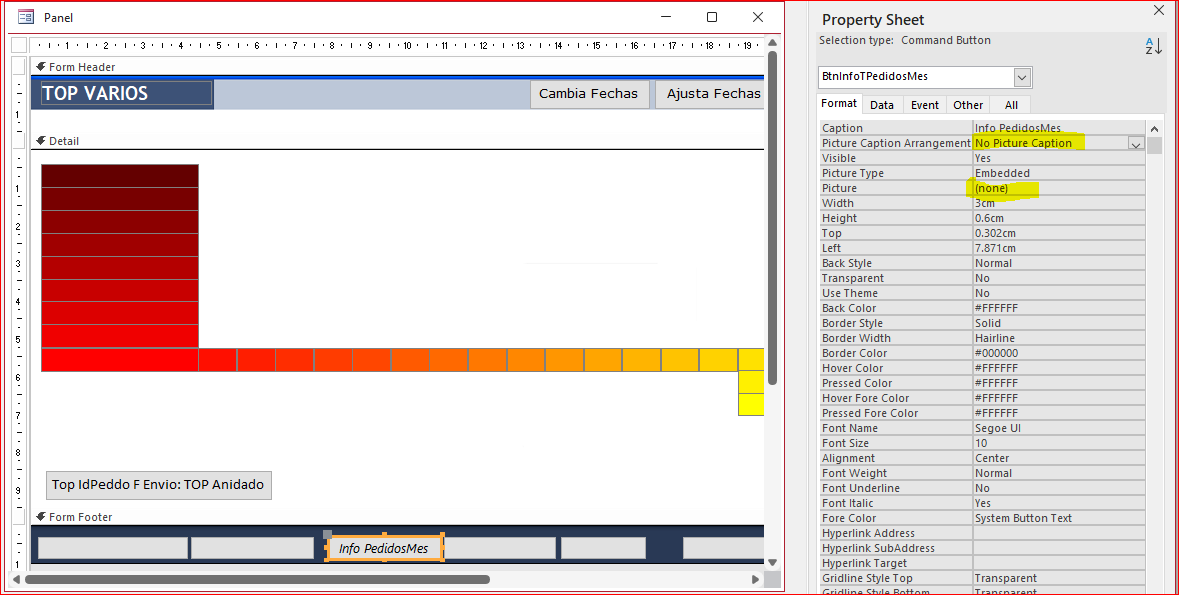
As I hadn't seen any other reports at this stage, I initially put this down to user error.
The fix was simple: either remove the image or change the picture caption arrangement property on the affected buttons to any other value e.g. Right
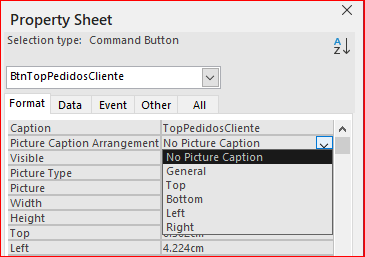
Changing the picture caption arrangement restored the captions on each button but no images were shown:
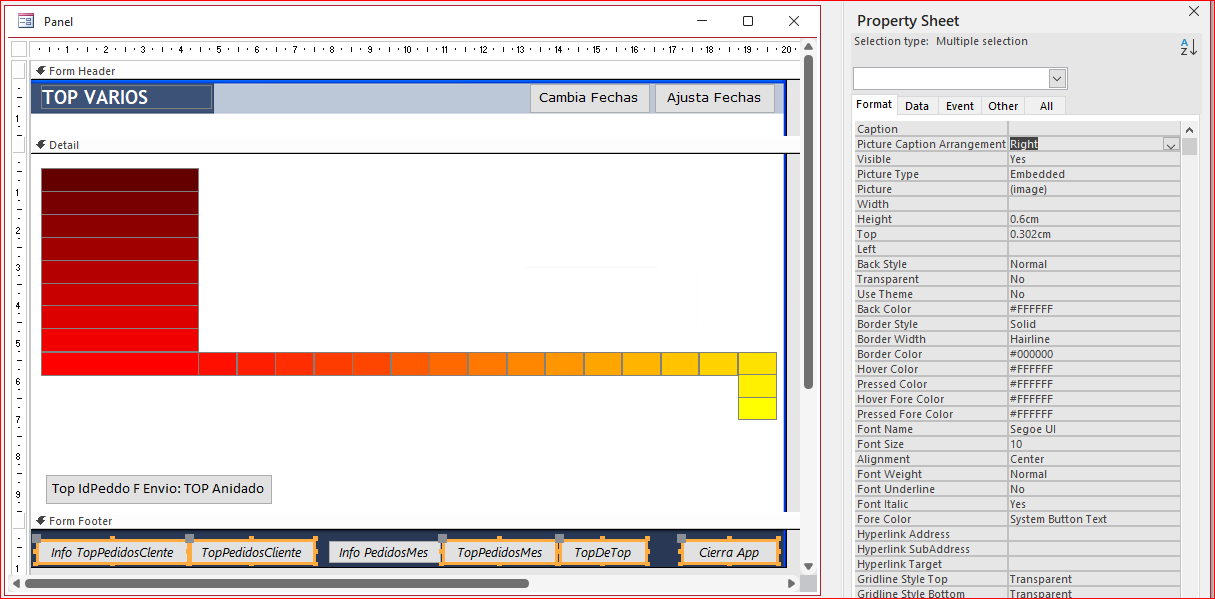
It appeared that the embedded images had all got corrupted or removed. Adding new images where required solved the issue:

Some 10 days later, a number of other similar reports began to appear on various forums including:
Some labels suddenly not showing | UtterAccess.com
Odd change after latest access update | Access World Forums
In each case, the user appears to be on Current Channel (Preview) version 2506 - build 18925.20022 or later
Where an example database was supplied, the issue was identical to that described above. Clearly there was an issue in version 2506.
Current Status (Last Updated 1 July 2025)
This issue was reported as a potential bug by fellow MVP, Karl Donaubauer on 17 June.
A member of the Access team responded the same day confirming this was a bug and that it would be fixed before version 2506 is released to the Current Channel at the end of June.
NOTE: The issue should not be triggered in other channels such as Beta and Current Channel.
UPDATES 25 June / 1 July 2025
Current Channel (Preview) was updated on 23 June to version 2506 build 18925.20092. The bug with disappearing button captions has been fixed.
Unfortunately, some users have reported that images lost in files opened in earlier CCP 2506 builds may need to be reset manually (unless already done as part of Workaround #1 below).
Other users have not needed to reset the images.
Beta Channel was updated on 26 June to version 2507 build 19024.20000. The disappearing button caption bug is fixed.
Current Channel will be updated to version 2506 build 18925.20138 during the week commencing 30 June 2025. This build will also include the fix for this bug.
Workarounds
Until the fix is available to you, do one of the following:
1. Change the Picture Caption Arrangement property to any suitable value as described above. If a required image does not show, reset its value.
2. Rollback to Current Channel version 2505 or move to a slower release channel.
For detailed instructions, see the articles by Peter Doering at the Access Forever blog site:
Roll-back to previous versions of Office and
Demystifying Microsoft 365 Update Channels
It is worth stressing that no production database should ever be used with either the Beta Channel or Current Channel (Preview) as these will contain bugs.
In theory, these are all identified and fixed before reaching Current Channel but that isn't always the case.
For that reason, most experienced Access developers recommend that all clients are on the Monthly or Semi-Annual channels.
Feedback
Please use the contact form below to let me know whether you found this article interesting/useful or if you have any questions/comments.
Please also consider making a donation towards the costs of maintaining this website. Thank you
Colin Riddington Mendip Data Systems Last Updated 1 July 2025
|
Return to Bugs & Fixes Page
|
Return to Top
|