
First Published 8 July 2025
OK - the title is deliberately over dramatic. Sometimes its the little things that count! 😉
For context, see my earlier article NEW - Create SQL Query Menu Item
Prior to version 2506, the Create ribbon looked like this:
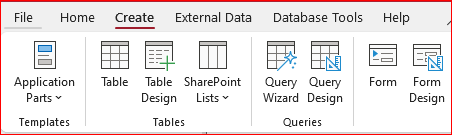
The only way to create a new SQL query was to open a new query in design view then change to SQL view.
After repeated requests, the Access team finally agreed to add a new Query SQL item to the Create ribbon:
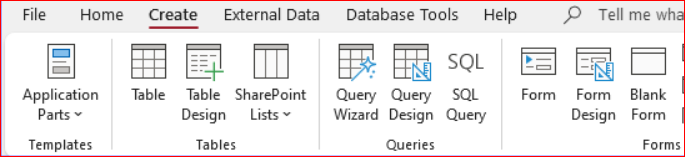
The above change was implemented in Beta Channel version 2506 build 18919.20004 and Current Channel version 2506 build 18925.20138.
The very simple icon was intended as a temporary placeholder whilst a new icon was created to match other ribbon items.
With Beta version 2507 build 19029.20000, the ribbon was updated but not quite as expected! The icon had disappeared!
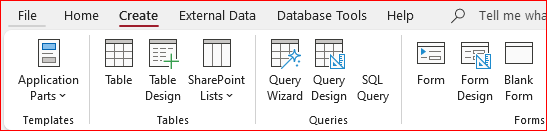
This was of course a temporary glitch. The 'long awaited' icon finally appeared in Beta channel version 2508 build 19101.20004 released on 7 July.
It should be available in the Current Channel when version 2508 is released at the end of August.
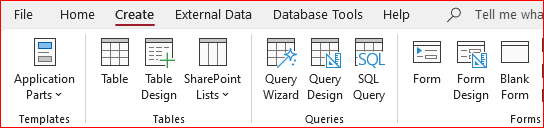
Now we can enjoy the new SQL Query feature in its full glory! 😏
Feedback
Please use the contact form below to let me know whether you found this article interesting/useful or if you have any questions/comments.
Please also consider making a donation towards the costs of maintaining this website. Thank you
Colin Riddington Mendip Data Systems Last Updated 8 July 2025
|
Return to Access Blog Page
|
Return to Top
|