
First Published 15 Sept 2025
If you are still using Windows 10, you will probably be aware that it will no longer be supported after 14 Oct 2025. Microsoft is doing all it can to push users onto Windows 11.
However, consumers can now enrol their computers onto the Extended Security Updates (ESU) program, allowing them to continue receiving security updates until 13 Oct 2026.
To enrol, consumers can sign up by backing up to OneDrive, redeeming Microsoft Rewards points, or purchasing for $30.
For organisations, enrolment is $61 for the first year, with the price doubling each subsequent year for up to three years.
NOTE: UK spelling = enrol; US spelling = enroll
Previously, extended support was only available as a paid service for organisations but the first two consumer options allow enrolment for a year's extra security support at no cost.
For details, see this article: Windows 10 Extended Security Updates (ESU): How to Enroll & Stay Protected Until 2026
Thanks to fellow Access MVP, Dagi Yudovich, for alerting me to this information.
The enrolment process is simple. Go to Settings | Windows Update and click the Enroll Now button.

NOTE: if you don't have this option yet, you may need to first run a Windows update for it to appear.
After clicking Enroll Now, this screen appears. Click Next

On the next screen, click Enroll.

If you add additional machines on the same Microsoft account, you will see this screen instead. Click Add Device

The next screen confirms that the process has been completed. Click Done.

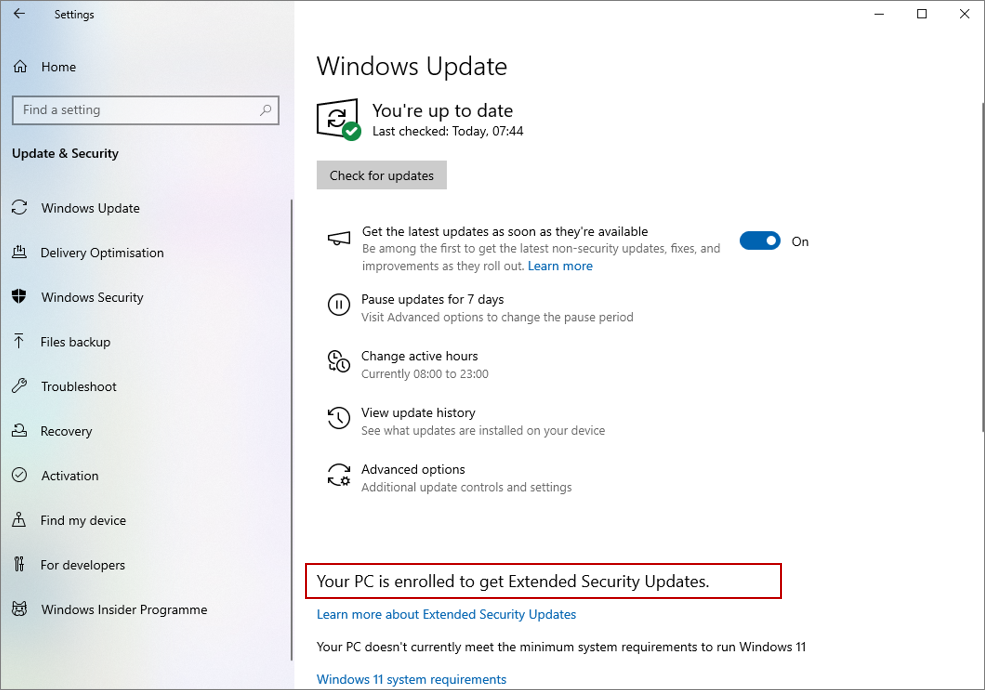
You will now be returned to Windows Settings where the information has been updated. Your device will continue to receive security updates for an additional year.
Feedback
Please use the E-Mail button in the contact form below to let me know whether you found this article useful or if you have any questions.
Please also consider making a donation towards the costs of maintaining this website. Thank you.
Colin Riddington Mendip Data Systems Last Updated 15 Sept 2025
|
Return to Access Blog Page
|
Return to Top
|