AEU Meeting Date 4 Feb 2026 starting at 18:00 UK Time (UTC) First Published 6 Jan 2026 Last Updated 19 Feb 2026

Meeting Details:
This Access Europe meeting will be on Wednesday 4 Feb 2026 starting at 18:00 UK time (6PM UTC+1) and finishing at about 19:15 (7.15PM)
The start time is equivalent to 19:00 (7PM) in Central Europe and 10AM in Seattle / PST
Please note that the UK is currently on Winter Time (UTC). For local times, please check World Time Buddy
We use Zoom as our meeting application. Please click this link to Get Zoom if you don’t already have it.
When the time comes for the meeting, please use the following link: Join Zoom Meeting
If you are asked, use: Meeting ID: 924 3129 5683 ; Passcode: 661210
All sessions are recorded and later uploaded to the Access User Groups channel on YouTube
If you do not wish to be part of the recording, please ensure your webcam and microphone are both switched off during the meeting.
Download Outlook Calendar (.ics file):
Click to download. Save in Outlook to create a recurring event for each month: Outlook Calendar (.ics)
Topic outline:
We are very pleased to welcome back Aleksander Wojtasz who previously presented two very popular sessions on Interactive Ganttt charts in July 2023 and Sept 2024.
For details of both previous sessions, including links to all files and YouTube videos of each session, see:
AEU 17: Interactive Gantt Chart Scheduler in Access
AEU 31: Advanced Techniques with Interactive Gantt Charts .
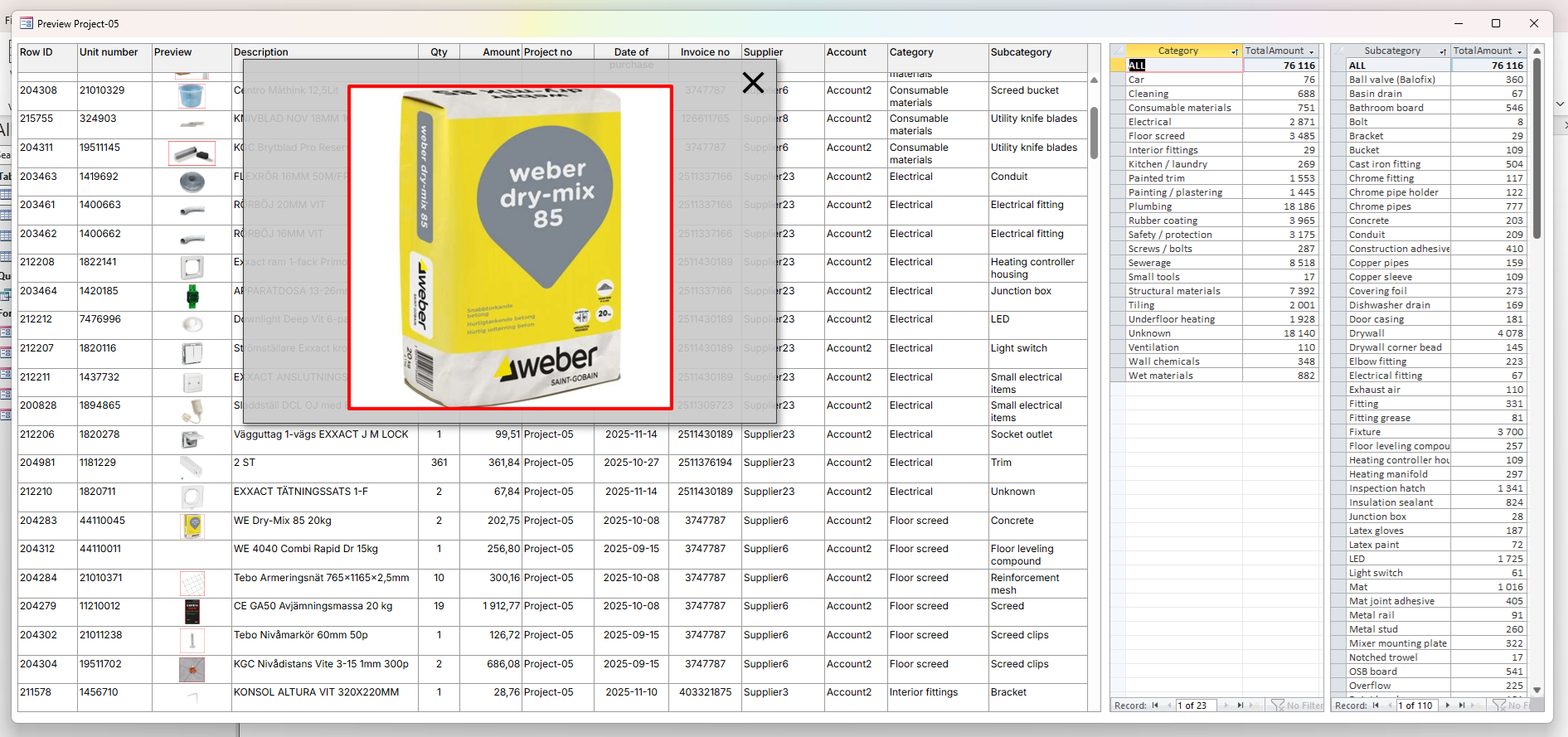
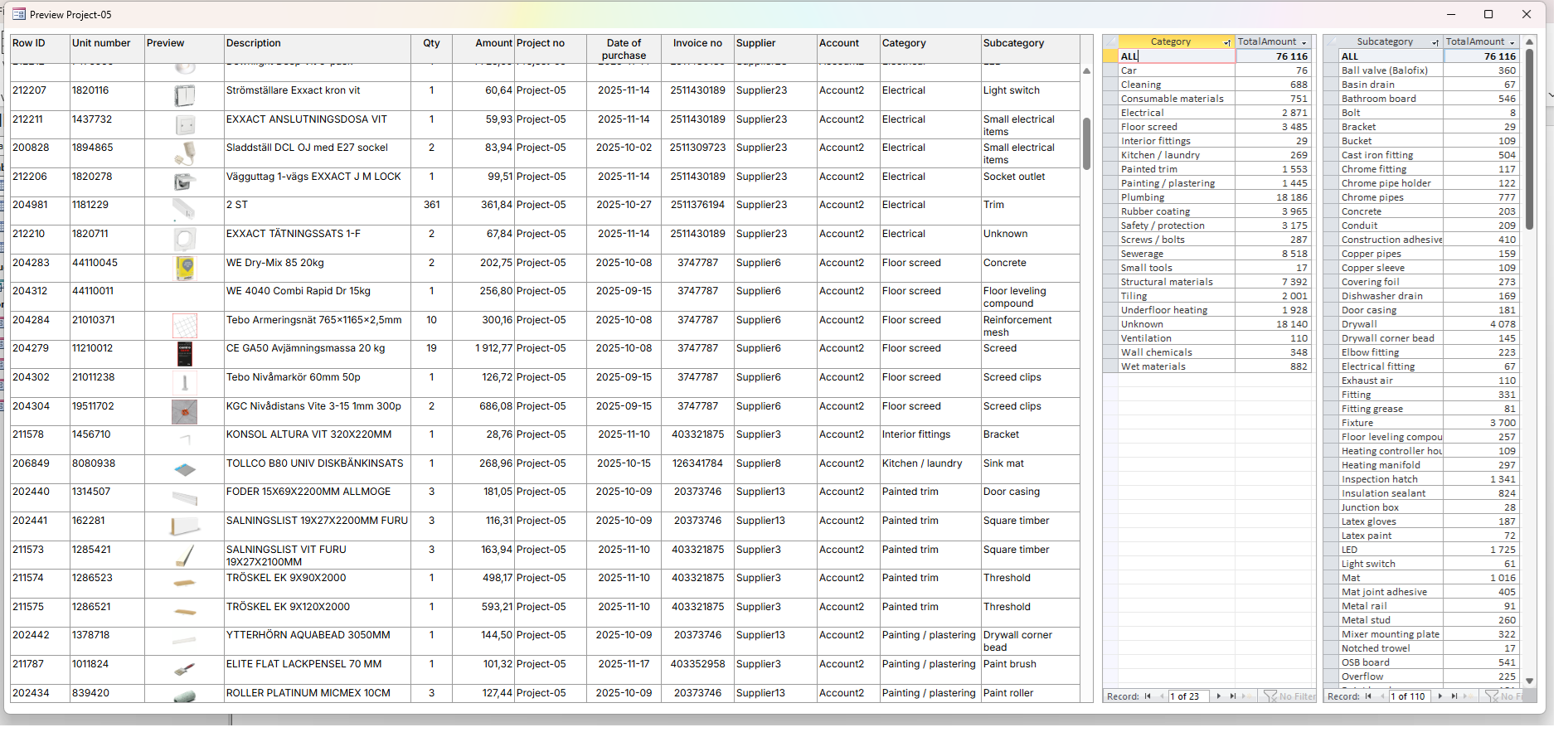
In this session, Aleksander will demonstrate how to use the new Access Edge browser control to visualize data in a grid format. This will include:
• loading an HTML + CSS + JavaScript template from a web hosting service or a local path to the Edge web browser control.
• shaping MS Access data so it can be passed as a parameter to the Me.EdgeBrowser0.ExecuteJavascript (command) function
• formatting data received from MS Access using JavaScript to create an HTML structure for the datagrid
• handling events in the HTML structure – mouse move – displaying a product thumbnail.
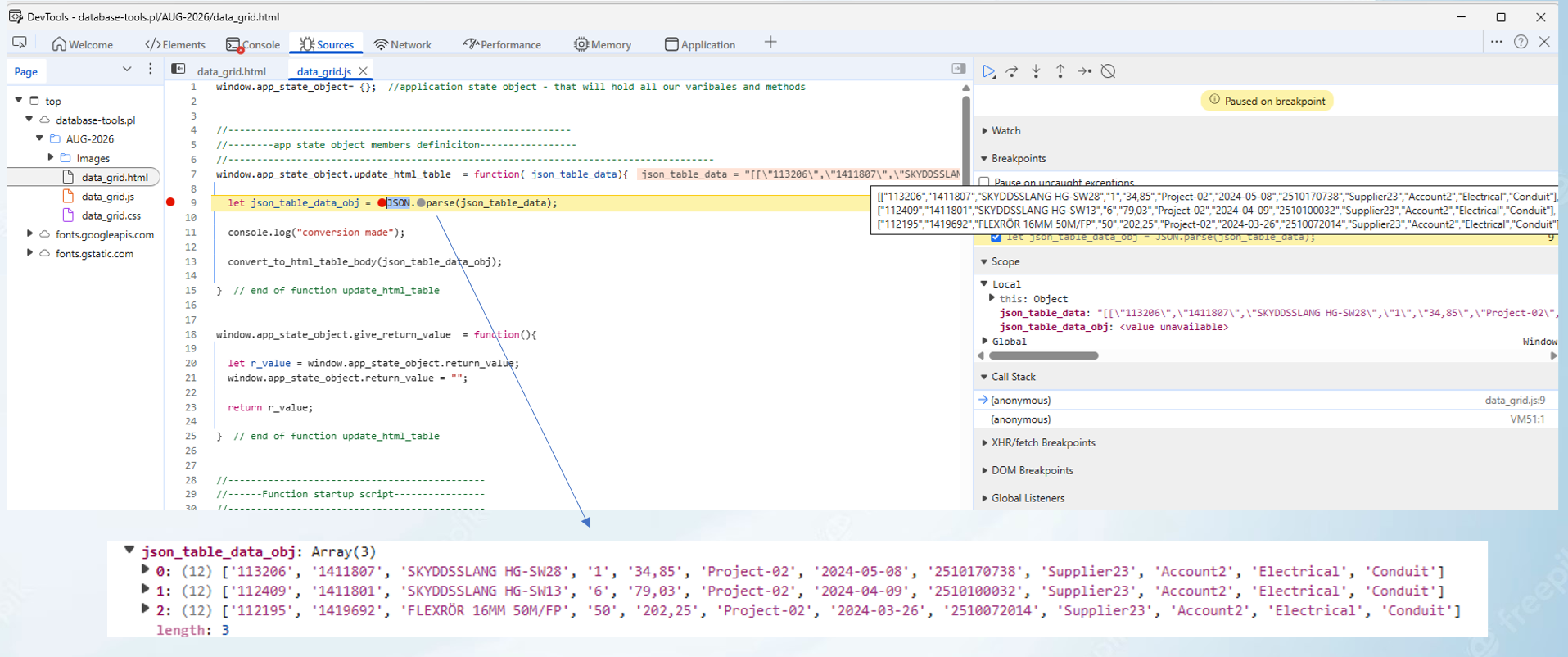
• debugging code at the MS Access VBA → HTML/JavaScript integration. (Ms Access debugger / Ms Edge Web Dev Tools)
Background Info:

• Based in Warsaw, Poland
• Active as MS Access programmer since 2005
• Working mostly as software developer in production companies – creating bespoke solutions to solve specific problems or cover very specific business processes.
• Last 5 years working mostly for financial banking company.
• Areas of interest: Using Access in both standard and atypical ways
• Big fan of web browser solutions: HTML+CSS+JavaScript
Download:
Click to download:
• a PDF of the presentation:
AEU-48_AW_Feb_2026 Approx 1 MB (PDF)
• 2 example databases (local / hosting), 3 data files, ReadMe.txt file:
Sample files 0.6 MB (zipped)
The ReadMe.txt file explains how to setup the data files with the local version of the example database
NOTE: As always with files downloaded from the internet, first unblock the files to remove the 'mark of the web', then enable content or run from a trusted location.
Video:
The meeting was recorded and the video is now available on the Access Europe YouTube channel at https://youtu.be/1_Vl8m10ri4 or you can click below:
Colin Riddington Mendip Data Systems Last Updated 19 Feb 2026
Return to Access Europe Page
Return to Top
Access User Groups: Europe (AEU) - Meeting 48 - Feb 2026 : Info / Files